As mobile security researchers and penetration testers, one of our fundamental tasks is to intercept and analyze the network traffic of an application. While this is often straightforward for standard native apps, Flutter applications present a unique challenge due to their custom rendering engine and networking stack. A popular tool to overcome this is reflutter, which allows us to rebuild a Flutter APK to trust system-wide SSL CA certificates.
However, after successfully patching an app with reflutter, we can hit another roadblock: integrity checks. This article explores how PairIP detects the modified package and prevents the app from launching by displaying an “Integrity Check Failed” message.
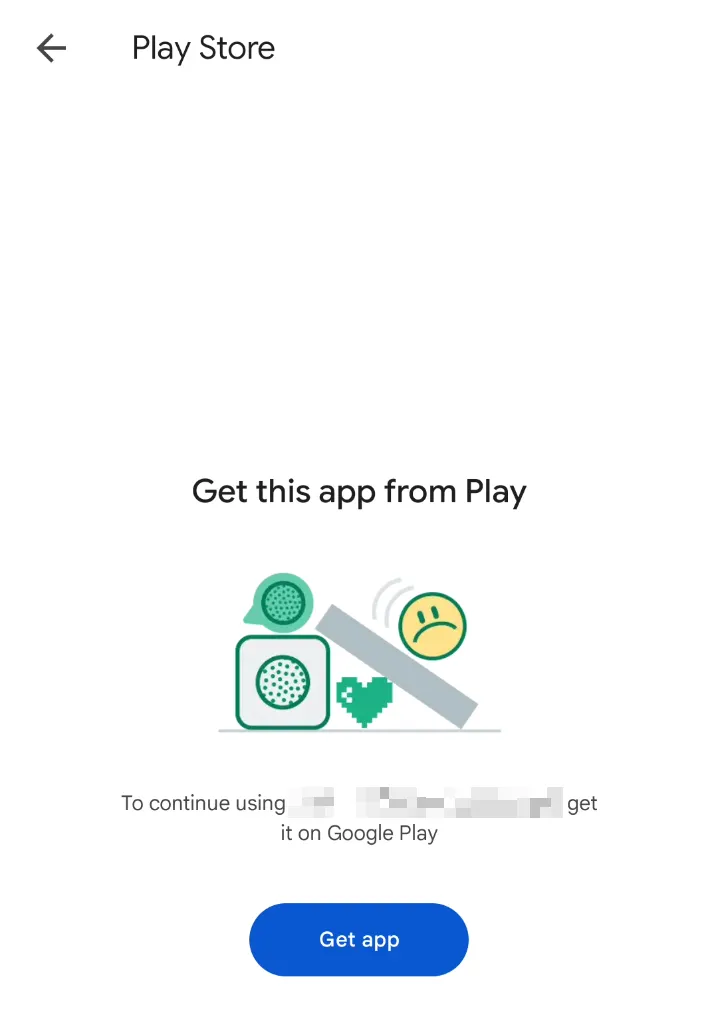
This error can be fixed by uninstalling the Google Play Store update, but it will showing new error.
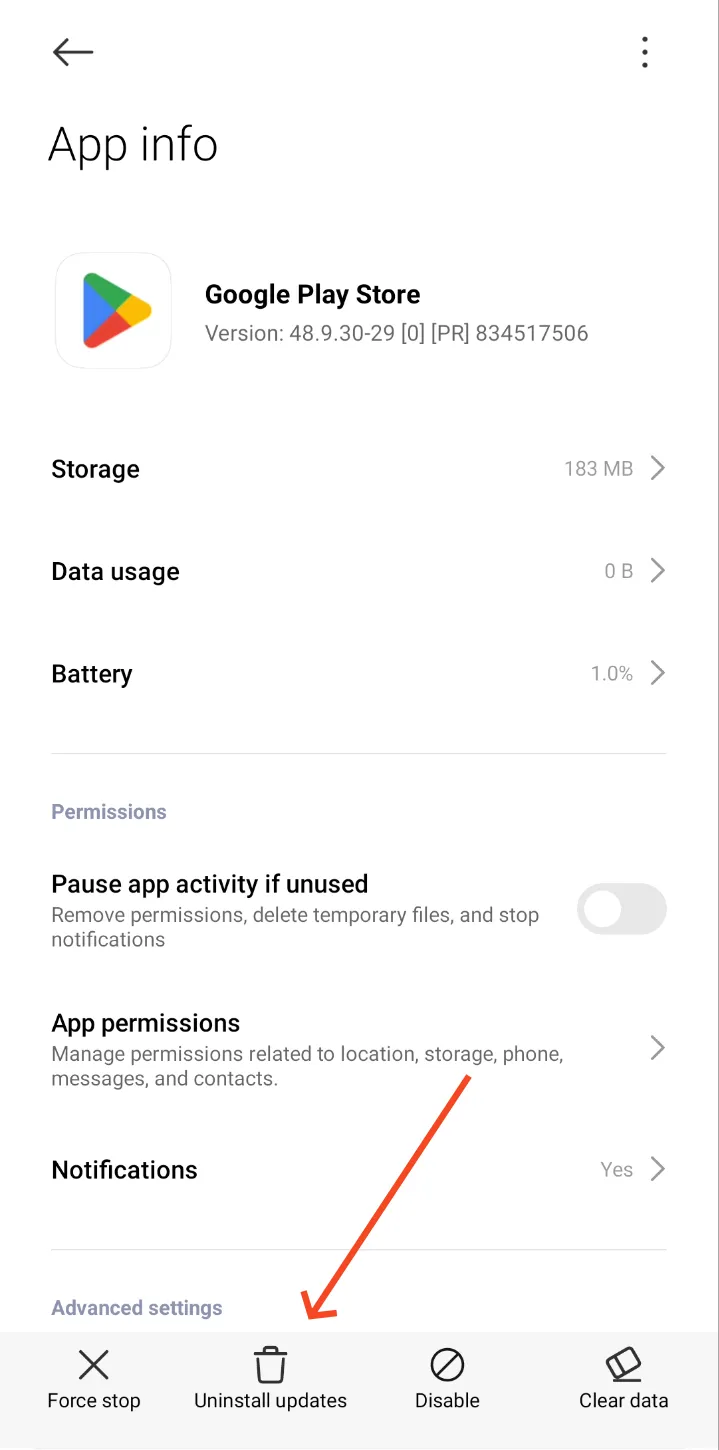
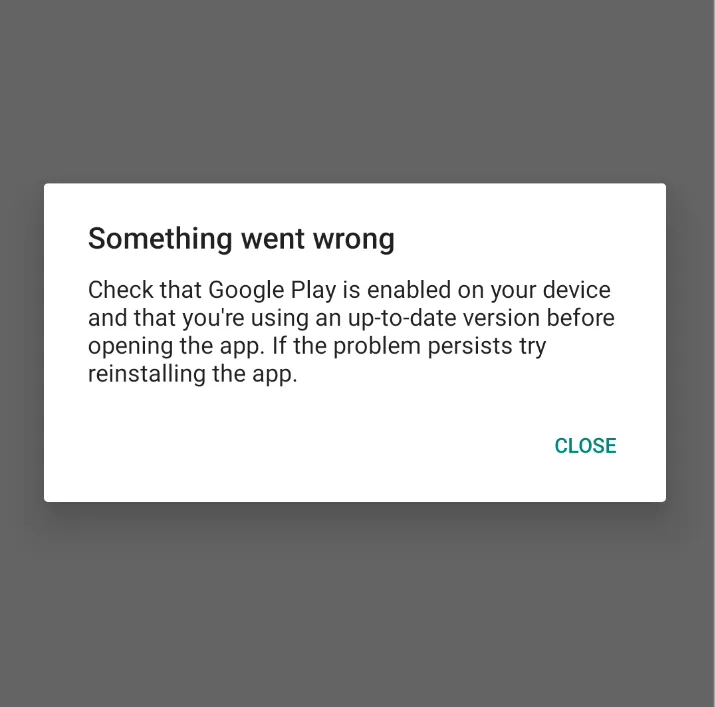
This popup effectively blocks all access to the application, making our reflutter patch useless. The popup is a clear indicator that the application is using PairIP to verify its code signature and integrity. When reflutter modifies the APK, the signature changes, causing the integrity check to fail as expected.
Our goal is to disable this check so we can proceed with our network traffic analysis.
Solution 1: Using LSPosed Module
For devices that use LSPosed, a practical approach is to rely on a module that adjusts how the target application handles PairIP’s integrity verification. LSPosed provides a framework that allows behavior to be modified at runtime without making any changes to the APK itself.
A module such as pairipfix able to bypass this mechanism. PairIP displays the “Get this app from Play” prompt and performs several runtime checks through its component called pairipcore, which is implemented inside the libpairpcore.so binary. This component confirms that the app was installed from Google Play, validates the app’s signature, and monitors for tools such as debuggers or instrumentation frameworks. It also rewrites specific application methods into an encrypted or obfuscated virtual machine format. Whenever a protected method is called, PairIP loads the corresponding VM code from the app’s storage and executes it inside its own virtual machine. Because the protected resources are required for the app to run correctly, blocking these calls outright would cause the app to crash.
Within LSPosed, a module can intercept the function that reports the result of PairIP’s integrity check and modify the returned value so the application treats the verification as successful. After installing and activating such a module in LSPosed and assigning the target app to its scope, the application typically launches without showing the integrity‑check dialog, which allows it to run normally for analysis.
Step-by-Step Guide:
1. Install LSPosed via Magisk:
- First, ensure your device is rooted with a recent version of Magisk.
- I prefer to use JingMatrix LSPosed fork because it’s more updated https://github.com/JingMatrix/LSPosed/releases.
- Install the LSPosed Module and reboot.
2. Install LSPosed Module
- Download Pairipfix module from this https://github.com/ahmedmani/pairipfix
- Install the downloaded APK on your device. After installation, you should see a notification from LSPosed prompting you to activate the module.
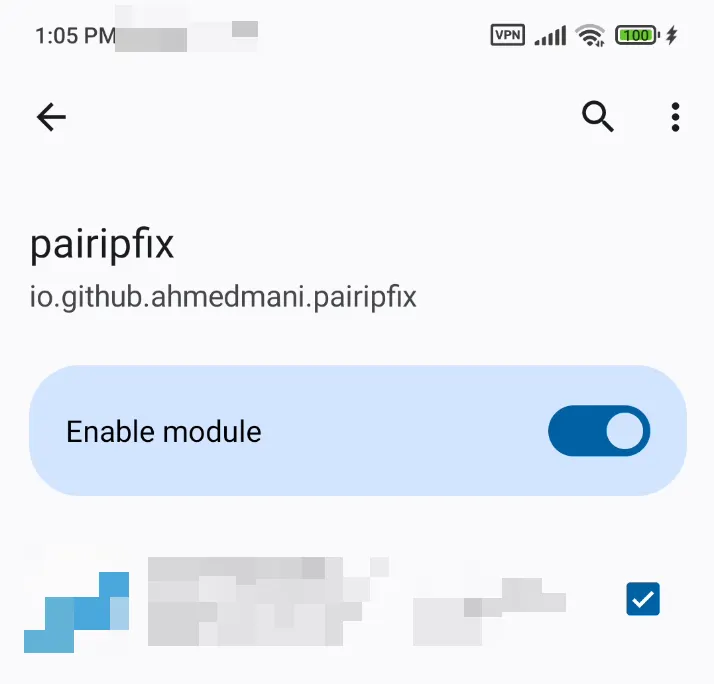
- Open the LSPosed Manager app (it appears in your app drawer after the reboot), go to the Modules section, and ensure
pairipfixis activated. - Tap on the
pairipfixmodule and select the target application (the one you patched withreflutter). This tells LSPosed to only apply this module to that specific app. - Open the patched application again. The Pairip integrity check popup should now be gone, and the app should function normally.
Solution 2: Using Lucky Patcher to Remove License Verification
If you prefer not to use LSPosed or if it doesn’t work for your specific case, Lucky Patcher offers another viable method. Lucky Patcher is a powerful, well-known tool for modifying Android applications. While often associated with license bypassing, its patching capabilities can also be used to defeat certain types of integrity checks.
This method works by applying generic patches that target and neutralize common license verification and anti-tamper mechanisms.
Step-by-Step Guide:
1. Install Lucky Patcher:
- Download and install latest Lucky Patcher from https://www.luckypatchers.com/download/
2. Grant Root Permission:
- Open Magisk Manager -> Superuser and grant Lucky Patcher root permission
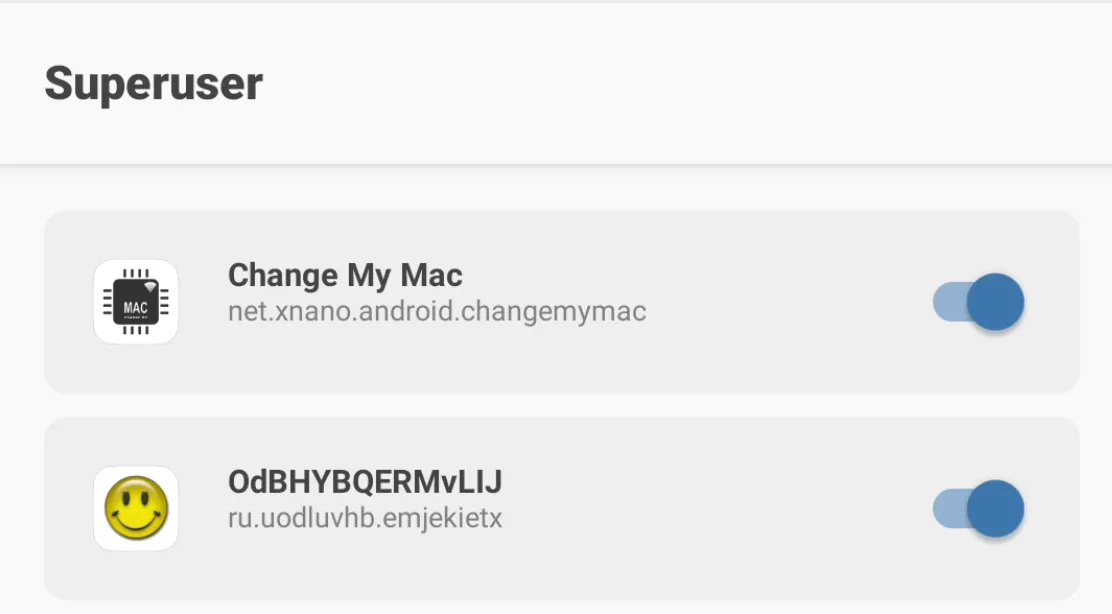
3. Patch APK**:**
-
Locate your reflutter-patched application in the list.
-
Tap on the application and select Menu of Patches.
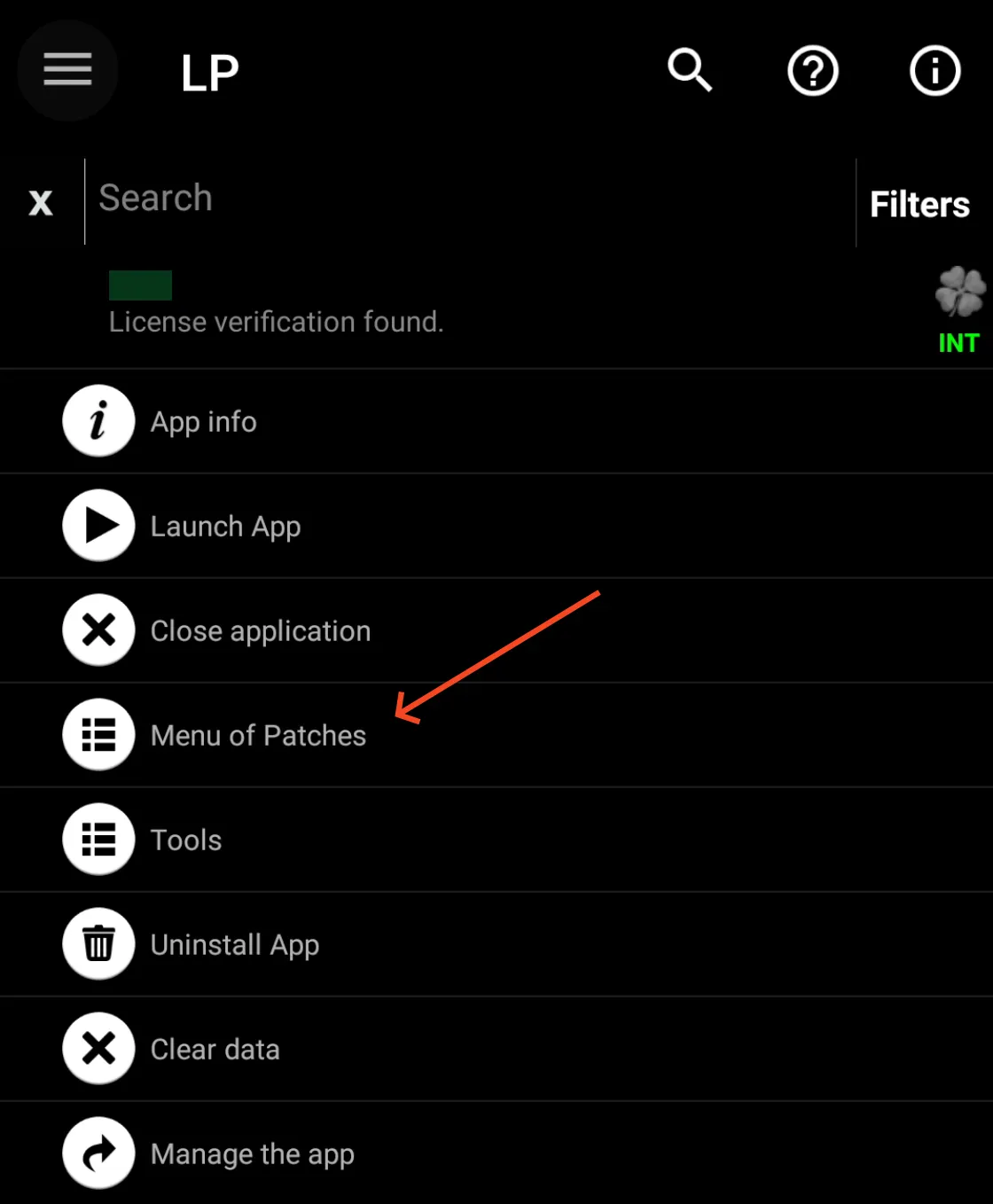
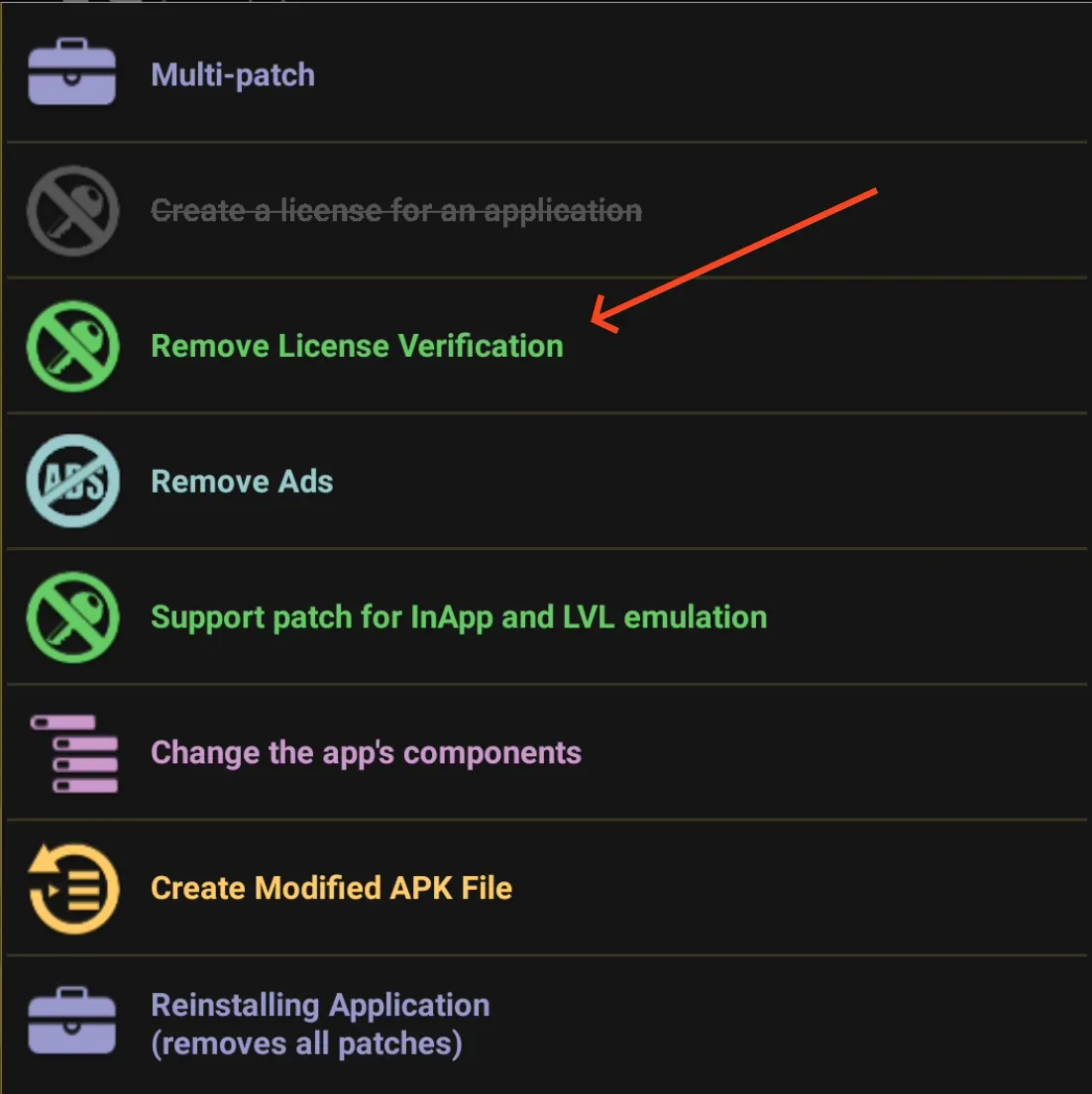
-
Tap on Remove License Verification -> Auto Mode
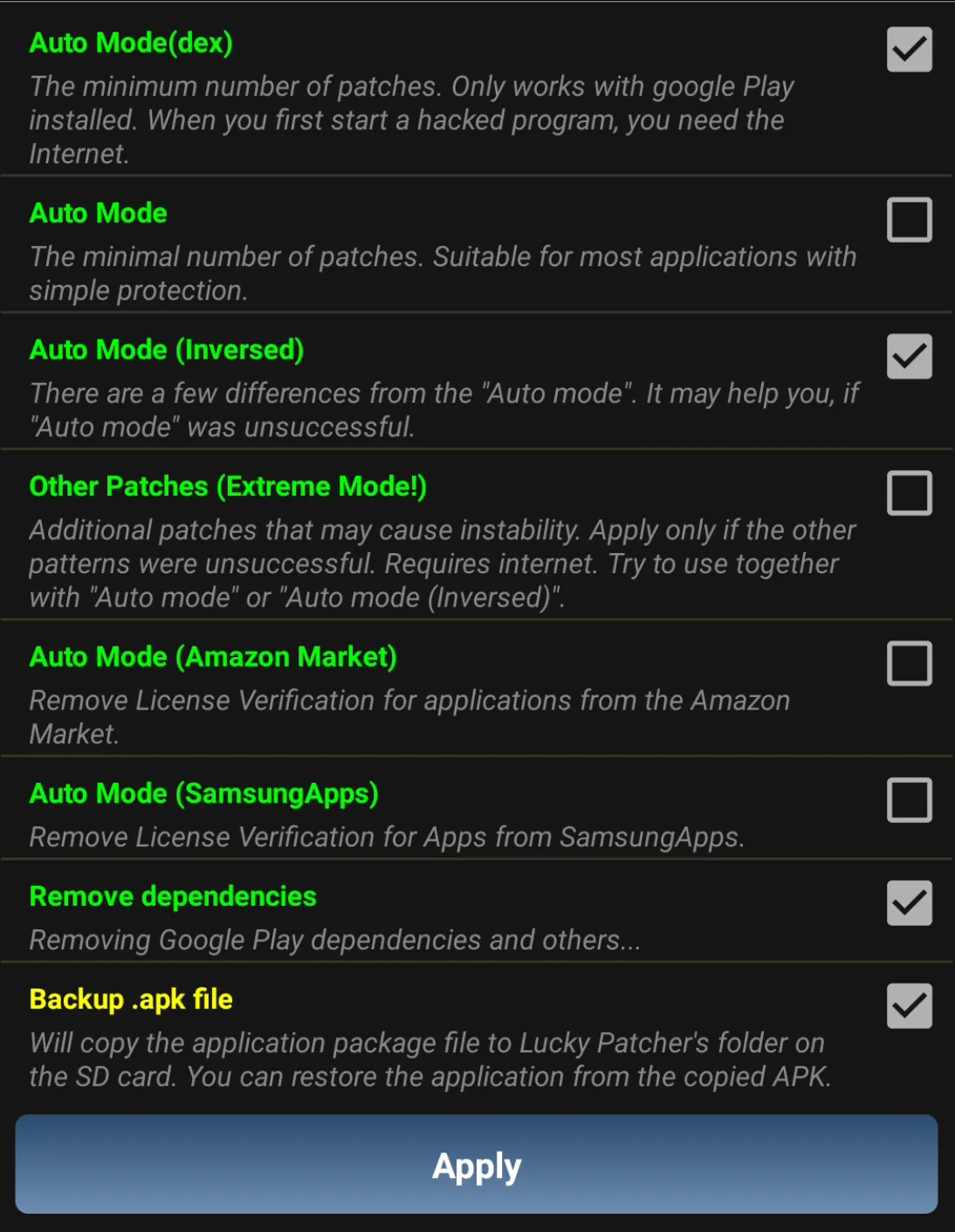
Select this options:
- Auto Mode(dex)
- Auto Mode(Inversed)
- Remove Dependencies
- Backup.apk file
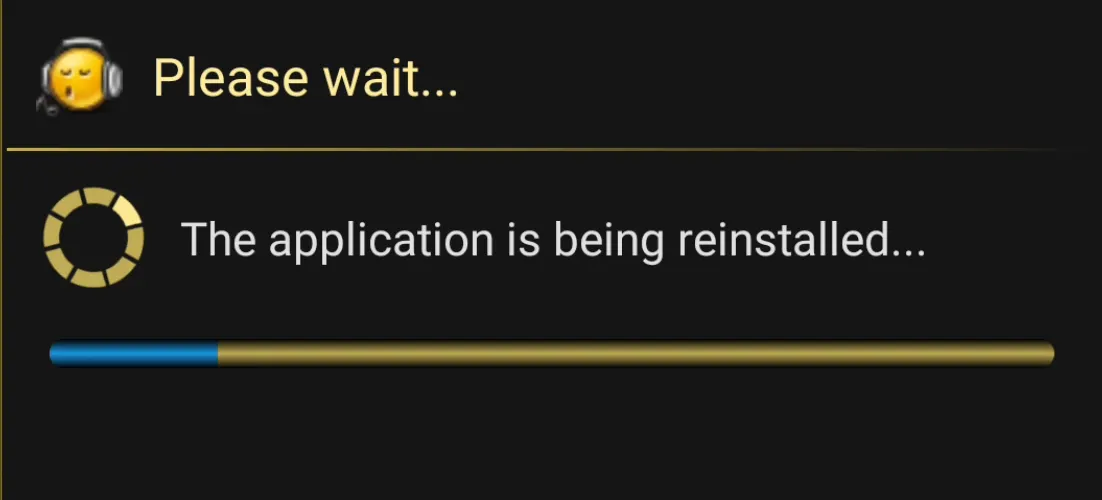
It will then showing the patching progress
When finish, it will show the result like this
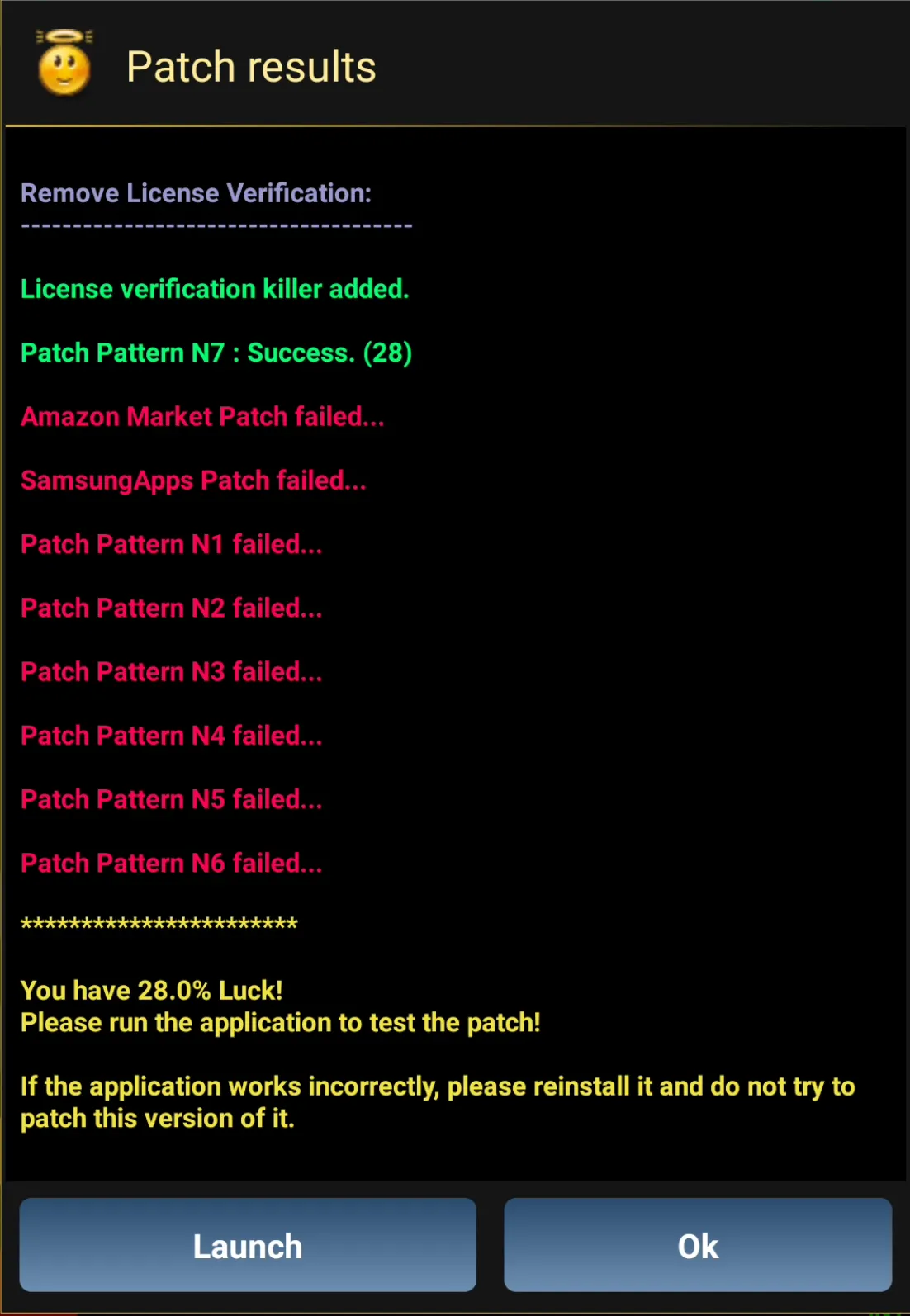
Don’t worry if several patterns fail. This is expected, and as long as one pattern succeeds, it generally means the licensing logic has been effectively modified.
You can launch the patched app to test if the patch is success.
Solution 3: Manual Modification
PairIP is typically integrated into production builds in one of two ways. Identifying which method your target uses will quickly tell you whether a manifest adjustment is relevant or if a different approach is required.
- Some apps enforce the integrity check entirely in their Java/Kotlin layer. In those builds the check is registered via the manifest, so once you decompile the app you can open
AndroidManifest.xml, search for the text pairip, and remove the entire component block. Most of the time it is a<service>,<provider>, or<receiver>with acom.pairippackage name. After that component disappears the binary no longer boots the Pairip code, so once you rebuild and resign the APK the popup never appears. - If you spot
libpairip.soinsidelib/arm64-v8a(or any ABI folder), the vendor pushed part of the protection into native code. That is a heavier integration, so a manifest tweak alone will not cut it.
For the scenario discussed in this article, the app happens to implement its integrity check in Java, meaning that a modification in the AndroidManifest.xml is sufficient. A more detailed workflow is as follows:
- Decompile with Apktool:
❯ apktool d release.RE.apk
I: Using Apktool 2.12.1 on release.RE.apk with 8 threads
I: Baksmaling classes.dex...
I: Baksmaling classes3.dex...
I: Baksmaling classes8.dex...
I: Baksmaling classes6.dex...
I: Baksmaling classes7.dex...
I: Loading resource table...
I: Baksmaling classes2.dex...
I: Baksmaling classes5.dex...
I: Decoding file-resources...
I: Loading resource table from file: /Users/petruknisme/Library/apktool/framework/1.apk
I: Baksmaling classes4.dex...
I: Decoding values */* XMLs...
I: Decoding AndroidManifest.xml with resources...
I: Copying original files...
I: Copying assets...
I: Copying lib...
I: Copying unknown files...- Edit AndroidManifest.xml:
Open target-dec/AndroidManifest.xml, locate the block referencing com.pairip.*, and delete the whole XML element (including child tags such as <intent-filter>). Save the file once all Pairip entries are gone.
In this case, here is the sample of AndroidManifest.xml code
<service android:exported="false" android:name="com.google.android.datatransport.runtime.scheduling.jobscheduling.JobInfoSchedulerService" android:permission="android.permission.BIND_JOB_SERVICE"/>
        <receiver android:exported="false" android:name="com.google.android.datatransport.runtime.scheduling.jobscheduling.AlarmManagerSchedulerBroadcastReceiver"/>
        <activity android:exported="false" android:name="com.pairip.licensecheck.LicenseActivity"/>
        <provider android:authorities="com.example.app.com.pairip.licensecheck.LicenseContentProvider" android:exported="false" android:name="com.pairip.licensecheck.LicenseContentProvider"/>
    </application>
<uses-permission android:name="com.android.vending.CHECK_LICENSE"/>
We need to remove the <activity/>, <provider/> and <uses-permission/> block. Because it contain the pairip check.
- Rebuild the project:
❯ apktool b release.RE
I: Using Apktool 2.12.1 on release.RE.apk with 8 threads
I: Checking whether sources have changed...
I: Smaling smali folder into classes.dex...
I: Checking whether sources have changed...
I: Smaling smali_classes2 folder into classes2.dex...
I: Checking whether sources have changed...
I: Smaling smali_classes3 folder into classes3.dex...
I: Checking whether sources have changed...
I: Smaling smali_classes4 folder into classes4.dex...
I: Checking whether sources have changed...
I: Smaling smali_classes5 folder into classes5.dex...
I: Checking whether sources have changed...
I: Smaling smali_classes6 folder into classes6.dex...
I: Checking whether sources have changed...
I: Smaling smali_classes7 folder into classes7.dex...
I: Checking whether resources have changed...
I: Building resources with aapt2...
I: Checking whether sources have changed...
I: Smaling smali_classes8 folder into classes8.dex...
I: Building apk file...
I: Importing assets...
I: Importing lib...
I: Importing unknown files...
I: Built apk into: release.RE/dist/release.RE.apk- Sign the APK
❯ java -jar ~/Downloads/uber-apk-signer.jar -a release.RE.apk
source:
        /Users/petruknisme/Downloads/flutter-app/release.RE/dist
zipalign location: BUILT_IN
        /var/folders/_8/v5b47jgd4p529gtngdp1778c0000gn/T/uapksigner-15413347238377522740/mac-zipalign-33_0_22395392032752874933.tmp
keystore:
        [0] 161a0018 /private/var/folders/_8/v5b47jgd4p529gtngdp1778c0000gn/T/temp_13719495217292704009_debug.keystore (DEBUG_EMBEDDED)

01. release.RE.apk

        SIGN
        file: /Users/petruknisme/Downloads/flutter-app/release.RE/dist/release.RE.apk (90.11 MiB)
        checksum: 2b9d6e33811a9978bf126fec4d78f9b9a4ef2c37741a45662d438b7a12f4da52 (sha256)
        - zipalign success
WARNING: A restricted method in java.lang.System has been called
WARNING: java.lang.System::loadLibrary has been called by org.conscrypt.NativeLibraryUtil in an unnamed module (file:/Users/petruknisme/Downloads/uber-apk-signer.jar)
WARNING: Use --enable-native-access=ALL-UNNAMED to avoid a warning for callers in this module
WARNING: Restricted methods will be blocked in a future release unless native access is enabled

        - sign success

        VERIFY
        file: /Users/petruknisme/Downloads/flutter-app/release.RE/dist/release.RE-aligned-debugSigned.apk (90.26 MiB)
        checksum: 26562188e270170fe74058fc4006e3d181ef6cf48e9cedd282df9d9ed89ab4f (sha256)
        - zipalign verified
        - signature verified [v2, v3]
                Subject: CN=Android Debug, OU=Android, O=US, L=US, ST=US, C=US
                SHA256: 1e08a903aef9c3a721510b64ec764d01d3d094eb954161b62544ea8f187b5953 / SHA256withRSA
                Expires: Fri Mar 11 03:10:05 WIB 2044

[Mon Dec 01 14:15:42 WIB 2025][v1.3.0]
Successfully processed 1 APKs and 0 errors in 1.26 seconds.- Install the signed APK, launch it, and confirm that the Pairip integrity dialog no longer appears.
Conclusion
Patching Flutter applications for security analysis is a multi-step process. While reflutter solves the initial challenge of SSL pinning, we must be prepared to face secondary defenses like commercial anti-tampering solutions. PairIP’s integrity check is a common example of such a defense.
By leveraging the targeted pairipfix LSPosed module for a clean, non-invasive hook, or by using the broader patching capabilities of Lucky Patcher, we can effectively neutralize this roadblock. These methods restore our ability to intercept and analyze network traffic, which is essential for any thorough mobile application penetration test.
It’s important to note that these techniques are generally effective against passive integrity checks or those easily bypassed by dynamic instrumentation.
However, for applications employing strong Runtime Application Self-Protection (RASP), these bypasses may be detected and blocked. RASP actively monitors the application’s environment and behavior for signs of tampering (like the presence of hooking frameworks or modified code) and can take countermeasures. Therefore, if your target application utilizes RASP, be aware that more advanced bypass techniques might be required, or these methods may fail.
Disclaimer: The techniques described in this article are for educational and authorized security research purposes only. Do not apply these methods to applications you do not have permission to test.
Reference:
- https://github.com/Solaree/pairipcore
- https://blog.byterialab.com/reversing-googles-new-vm-based-integrity-protection-pairip/
Originally published on Medium.